 Discount of up to
 Steps #
- Open your Project in Android Studio.
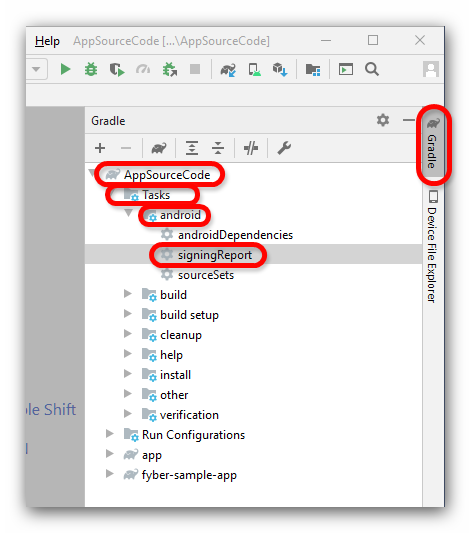
- Click on Gradle (from right side panel).
- Click on your project name (AppSourceCode in the example).
- Click on Tasks.
- Click on Android.
- Double click on signingReport.
- You will get SHA1 in Run bar.

With our extensive collection of app source codes, creating and customizing applications becomes second nature. Forget about starting from scratch and focus on building and launching your projects faster.


